
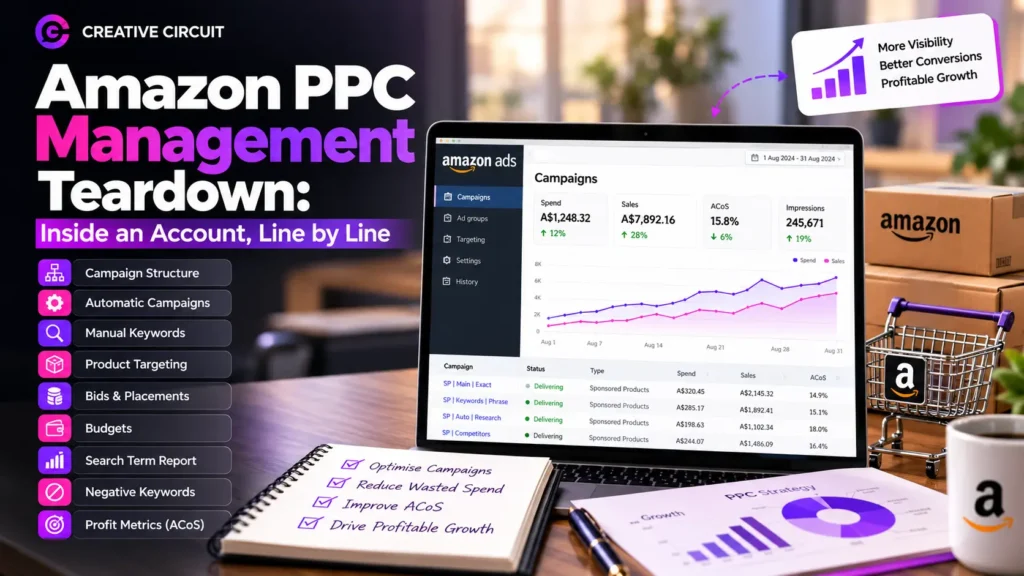
Open an Amazon advertising dashboard for the first time and it can feel like reading a spreadsheet in a foreign language. Campaigns, ad groups, match types, placements and search terms all compete for your attention, and the numbers rarely explain themselves. Most sellers only look at the headline figures and miss what’s happening underneath.
Good Amazon PPC management starts with knowing what each line of an account is doing and whether it deserves its share of budget. A structured Amazon PPC service in Australia should focus on campaign performance, profitable targeting and reducing wasted ad spend. This guide takes a typical Sponsored Products account apart one layer at a time. It shows what a healthy setup looks like, where money usually leaks, and what to change first. Use it to review your own account or to judge the work of anyone managing it for you.
Line One: Campaign Structure
Start with how the account is organised. A clean account groups products logically, for example by category or by margin level, and separates campaign types so each can be judged on its own. A messy account has dozens of campaigns with unclear names, mixed targeting types in one place, and no way to tell what is meant to do what.
A simple naming system fixes much of this. Include the product group, the targeting type and the match type in every campaign name. If you can’t tell a campaign’s purpose from its name, you can’t manage it properly.
Line Two: Automatic Campaigns as the Research Engine
Automatic campaigns let Amazon choose where your ads appear based on your listing. Think of them as research. They show you which search terms and which products are relevant to yours, including some you would never have guessed.
The effectiveness of these campaigns also depends on how well your product listings communicate relevance. Strong Amazon listing optimisation helps align product titles, descriptions and keywords with what shoppers actually search for.
The mistake is treating them as the whole strategy. Left alone, automatic campaigns tend to spend broadly and convert unevenly. Their best use is discovery. Let them run, mine the results, and move proven terms into campaigns you control.
Line Three: Manual Keyword Campaigns and Match Types
This is where most of your control sits. Manual campaigns let you choose keywords and match types, and the match type decides how tightly the ad follows the search.
- Exact match targets close variations of your chosen term and is the best fit for proven performers.
- Phrase match keeps your term in the search with other words around it, which suits warmer testing.
- Broad match gives Amazon the most room and is better for exploring than for scaling.
A healthy account usually keeps these in separate campaigns so you can see which level of control is working. An unhealthy one mixes them together and can’t say why results change.
Line Four: Product Targeting
Product targeting places your ad on competitor listings or related products. It can be powerful, because a shopper viewing a similar item is already close to buying. It can also be a quiet budget drain if the targets are poorly chosen.
When reviewing this line, ask whether each targeted product is truly comparable in price, quality and purpose. Showing a budget item on a premium listing, or the reverse, rarely converts. Review the targets regularly and drop the ones that attract clicks without sales.
Line Five: Bids and Placements
Bids decide how aggressively you compete, and placement adjustments let you pay more for particular positions, such as the top of the search results. The temptation is to chase the top spot everywhere, but that visibility costs more and doesn’t always bring better customers.
A sensible approach is to bid according to what each keyword has proven it can deliver. Raise bids on terms that convert profitably and lower them on terms that don’t. Use placement reports to see whether top-of-search positions justify their cost for your product, rather than assuming they do.
Line Six: Budgets
Daily budgets should follow performance, not habit. A common problem is a strong campaign running out of budget early in the day while a weak one never spends its allowance. That means your best opportunities are switched off for part of the day, and your worst ones carry on.
Check which campaigns are budget-limited and move spend toward those producing profitable sales. Keep an eye on seasonal swings too. Budgets that suit a quiet month will hold you back during a peak period.
Line Seven: The Search Term Report
If you look at only one report, make it this one. The search term report shows what shoppers actually typed before clicking your ad, and it is where the real story lives.
Look for two things. First, terms that bring sales are candidates to promote into exact match campaigns with their own bids. Second, terms that bring repeated clicks but no sales, or that are clearly irrelevant, are wasting money. A product listing that sells running shoes shouldn’t be paying for clicks from people searching for walking sticks.
Line Eight: Negative Keywords
Negative keywords tell Amazon what not to show your ad for. They are the main defence against wasted spend, yet many accounts barely use them.
Add negatives from your search term report regularly. Common candidates include irrelevant product types, wrong sizes or models, and terms that signal the wrong intent. Use negative exact for precise blocks and negative phrase for broader ones. It’s a small weekly habit that quietly improves efficiency month after month.
Line Nine: Profit Metrics, Not Just ACoS
ACoS, the share of ad-attributed sales you spend on ads, is the metric most sellers watch. It’s useful, but it doesn’t tell you whether you’re making money. A low ACoS on a thin-margin product can still lose money, and a higher ACoS on a high-margin product can be perfectly healthy.
Judge each campaign against your actual margin after product costs, fees and shipping. Also look at TACoS, which compares ad spend to your total sales, including organic. Understanding how advertising works alongside Amazon SEO Australia can help you assess the relationship between paid visibility, organic rankings and long-term sales performance. If ad spend is rising while organic sales stay flat, your ads may be buying sales you would have made anyway.
What to Cut First
When an account feels bloated, work through this order:
- Keywords and targets with plenty of clicks and no sales
- Campaigns with unclear purpose or duplicated targeting
- Broad terms that bring irrelevant traffic
- Product targets that don’t match your price or quality level
- Placement bids that haven’t earned their extra cost
Cutting waste usually improves results faster than adding new campaigns.
A Simple Weekly Routine
You don’t need hours every day. A steady rhythm works better than occasional overhauls:
- Weekly: review search terms, add negatives, adjust bids on clear winners and losers
- Monthly: check budgets, placements, product targets and profit by campaign
- Quarterly: review structure, test new approaches and plan around upcoming seasons
If whoever manages your account can’t describe their routine this clearly, ask why.
Conclusion
An Amazon account is a collection of small decisions, and the gains come from making those decisions with evidence. Clear structure, controlled match types, regular search term reviews and profit-based goals turn a confusing dashboard into something you can manage with confidence. Done well, Amazon PPC management isn’t about spending more. It’s about making every line of the account earn its place.
At Creative Circuit, we review accounts the way this guide describes: line by line, starting with what is wasting budget and what is worth scaling. If you’d like an honest look at how your campaigns are set up, get in touch with Creative Circuit today.